MonoCalendar

MonoCalendar
License:
Free (GPL)
Language:
English
Developer:
Developer's website
OS:
Win98/98SE/Me/2000/XP
Updated:
See detailed info

Softonic review

Niamh Lynch

“Free, useful calendar for tasks and events”

by Niamh Lynch about MonoCalendar

In the world of calendar programs, simplicity and functionality reign supreme. There are lots on the market though, so it takes effort to stand out from the competition. Does MonoCalendar make the grade?

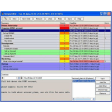
Well, the MonoCalendar interface certainly moves in the right direction. You can have as many calendars as you like - each one will be a different color, and obviously, you'll give them different names so you can distinguish them easily. All of your appointments, regardless of what calendar they belong to, will appear in the same interface, but the appointments that belong to the calendar you are currently viewing will be less transparent than the ones that belong to the other calendars, a setting you can tweak under Preferences. You add and edit appointments by doubling clicking, and you can drag and drop to move them. Grabbing one end with the mouse will also allow you to make the appointment longer or shorter.

MonoCalendar makes it easy to flick back and forth through months and views, and there's a handy one-click function that brings you back to the current month when you are browsing. The program updates itself, and you can import and export calendars as long as they are in .ICS format.

MonoCalendar has lots of good points, but I still can't shake the feeling that it is a poor relation to some of the other free calendars out there, namely Mozilla Sunbird and Google Calendar. That said, there may be users who have their own reasons for wanting a simple desktop program like MonoCalendar. If you're one of them, I'm sure you'll find MonoCalendar very satisfactory.

As desktop calendars go, MonoCalendar's not bad at all.

Pros
  • Auto-update
  • Drag and drop appointment
  • Very simple to use
Cons
  • Looks dated compared to other calendars
  • Not many features
Free Download MonoCalendar 0.7.2

MonoCalendar is virus free

We have analyzed the latest version of MonoCalendar with 30 antivirus engines and it is virus free. See analysis results.

TESTED VIRUS FREE - Softonic GUARANTEED

Review and rate MonoCalendar

Your avatar

Your opinion is important.
Help other users - be the first to review this program.

Review
  1. Maximum: 75 characters

  2. See example

Pros and Cons
Rate
  1. What rating would you give MonoCalendar?

    You need to fill in all fields

    • Usability:

      Not rated
    • Stability:

      Not rated
    • Installation:

      Not rated
    • Functionality:

      Not rated
    • Appearance:

      Not rated
    • Overall rating:

      Not rated
  2. Don't worry, we won't make your email address public.

You're not allowed to share serial numbers, cracks, etc. or link to pages that contain them. If you do, your user account will be deleted, your IP address logged and legal action will be taken.

Get started - just ask a question!

Write a title for your question.

Alternativesto MonoCalendar

  • Better rating:
    Calendar Magic
    Calendar Magic

    Calendars pack with lots of utilities

    Softonic rating:
    • 8/10
    User rating:
    • 7/10
  • I'm feeling lucky!:
    VueMinder Calendar
    VueMinder Calendar

    Complete calendar tool to organize your work

    Softonic rating:
    • 8/10
    User rating:
    • 7/10
Compare with MonoCalendar
Download rank: Calendars

5 of 16

Softonic rating:
  • Not bad
  • 6/10
User rating: (1 rating)
  • Not bad
  • 5/10
Your rating:
Your rating
  • 0

Review and rate this program

Top Downloads: Calendars

  • United States
  • Global

  1. Organize tasks more effectively and be more productive

Reviews of MonoCalendar in other languages